
Host NSPC for your school, college, university or institute
For teachers, principals, nodal officers and coordinators at any institution — schools, colleges, universities, coaching centres, NGOs and organisations — who want to run the National Student Paryavaran Competition (NSPC) for their students and track participation from one dashboard.
What you get
- Your own institution page and dashboard on EcoMitram.
- A QR code / link your students scan to register and take the quiz — no app install.
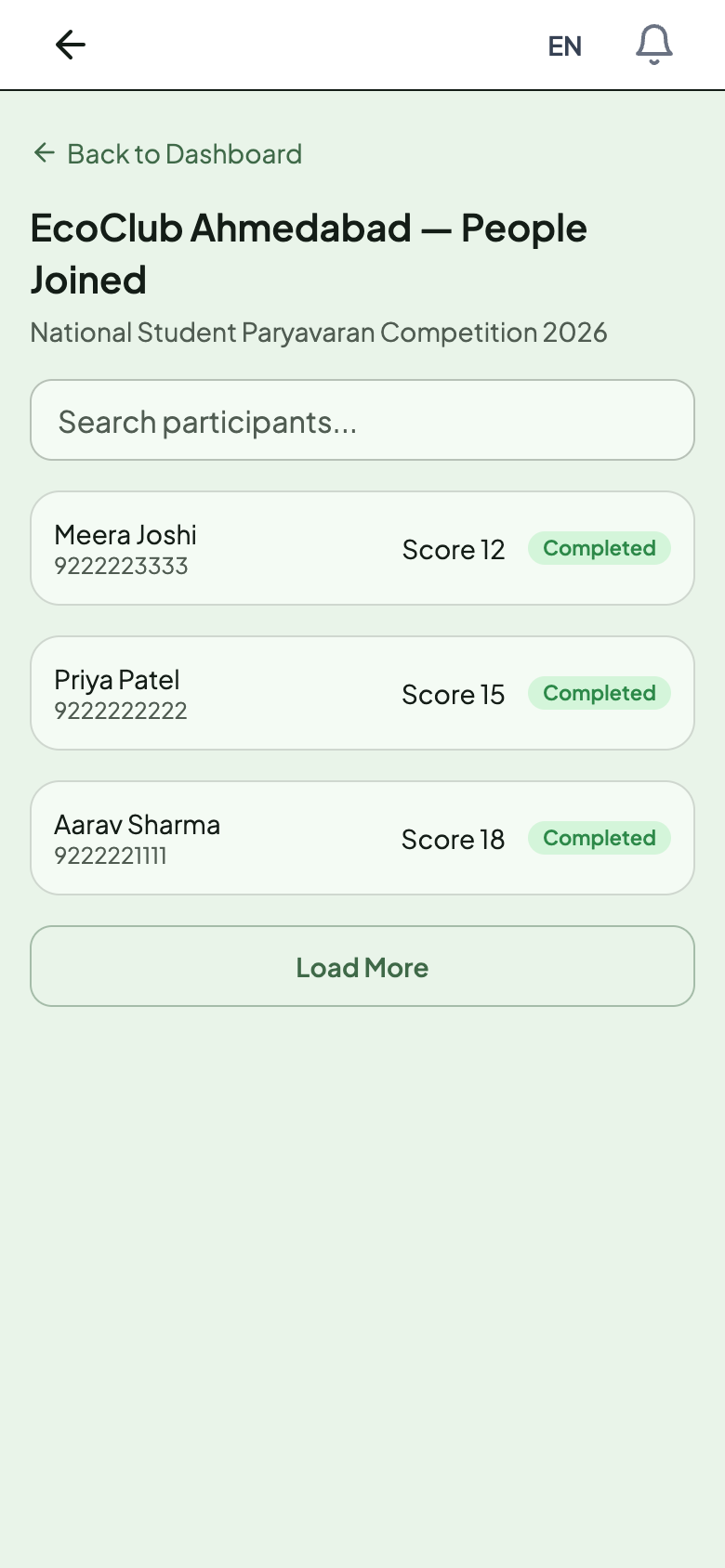
- A live list of the students who joined, with their score and status.
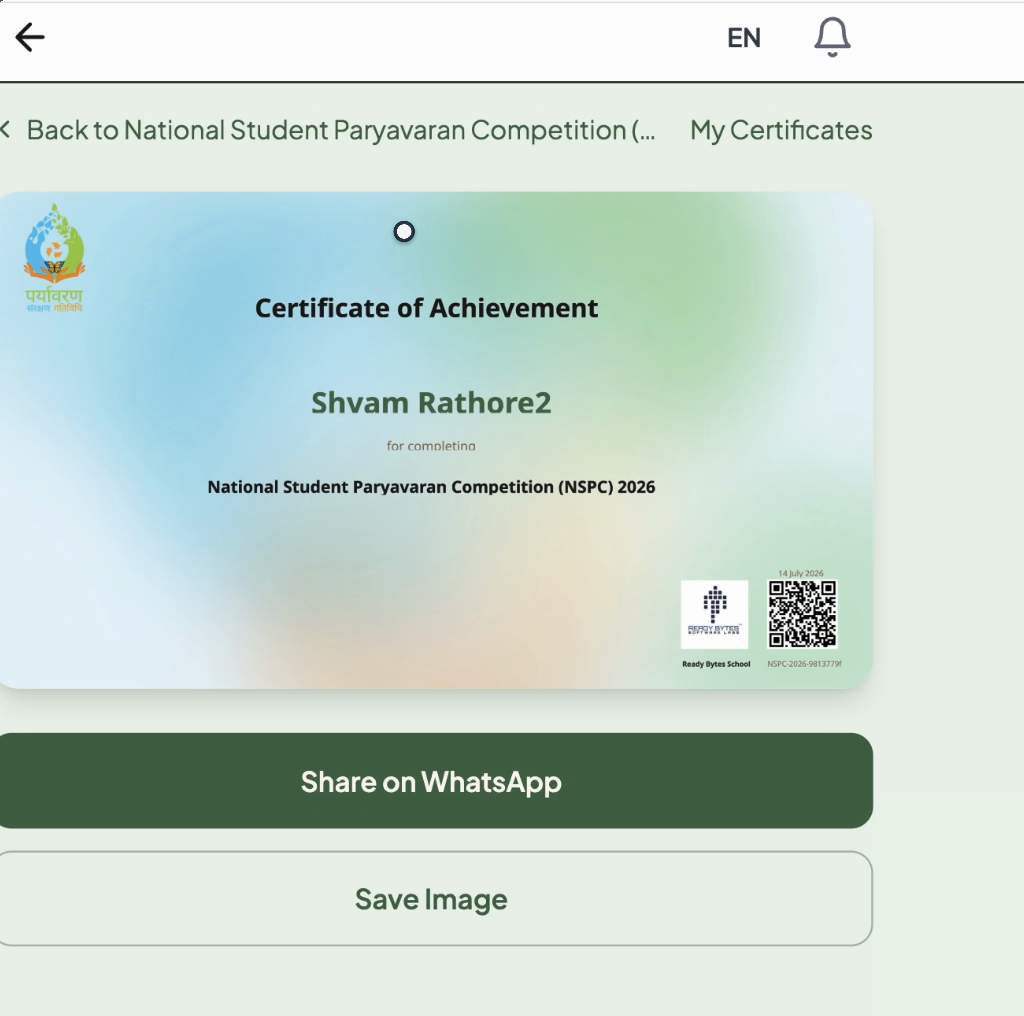
- An instant e-certificate for every student who completes the quiz.
- A downloadable list (CSV) of participants for your records — available on any labelled QR you create.
Step 1 — Register your organisation
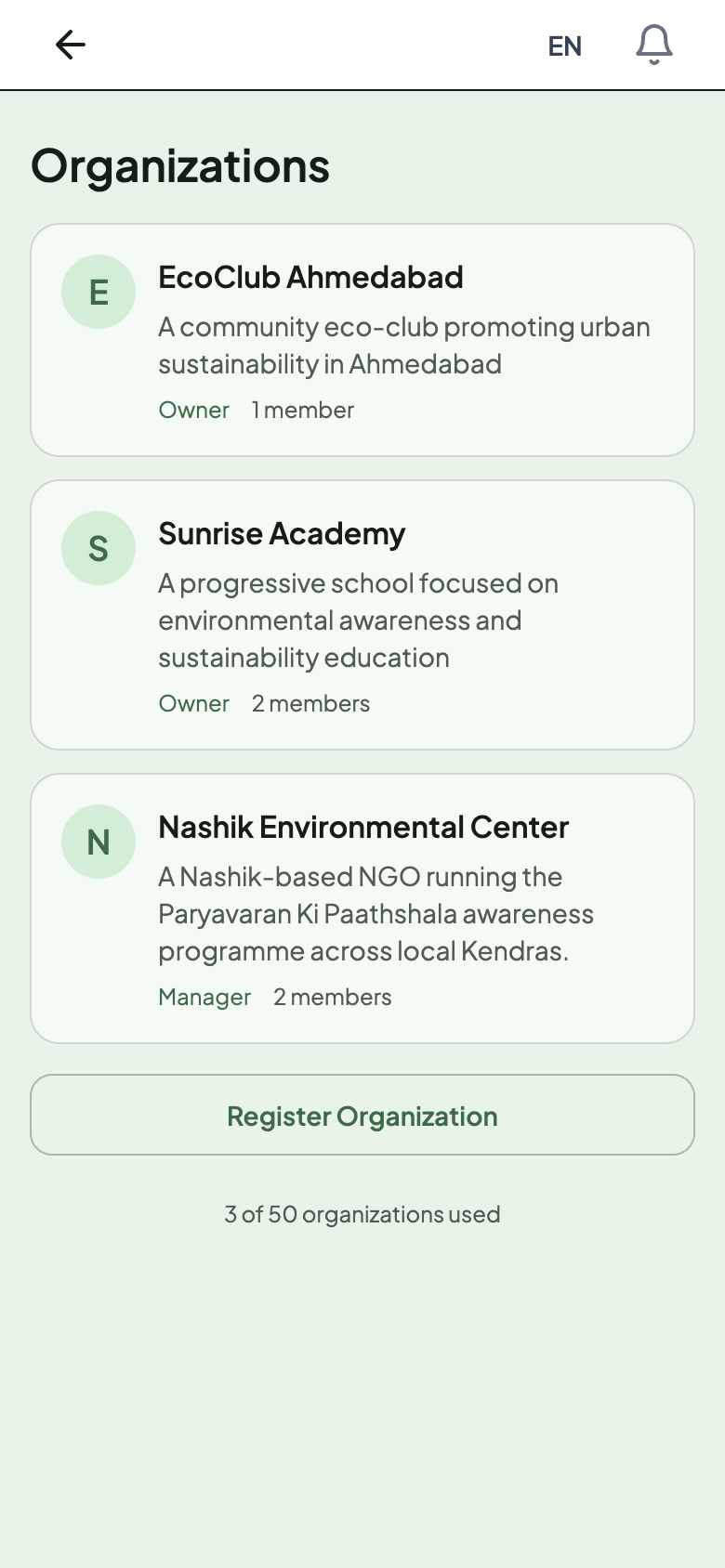
- Open Organizations and tap Register Organization — or pick one you already own. You don’t need an account to look; you’ll be asked to sign in when you register.
- Enter your institution’s name (e.g. your school, college or university) and a short description.
- Optional but worth it: tap Upload logo to add your school’s logo — it will appear on every certificate your students earn. Pick a photo, then a Crop photo screen opens where you zoom and drag to frame it, and tap Apply.
- Tap Register Organization to save.
Step 2 — Join NSPC 2026
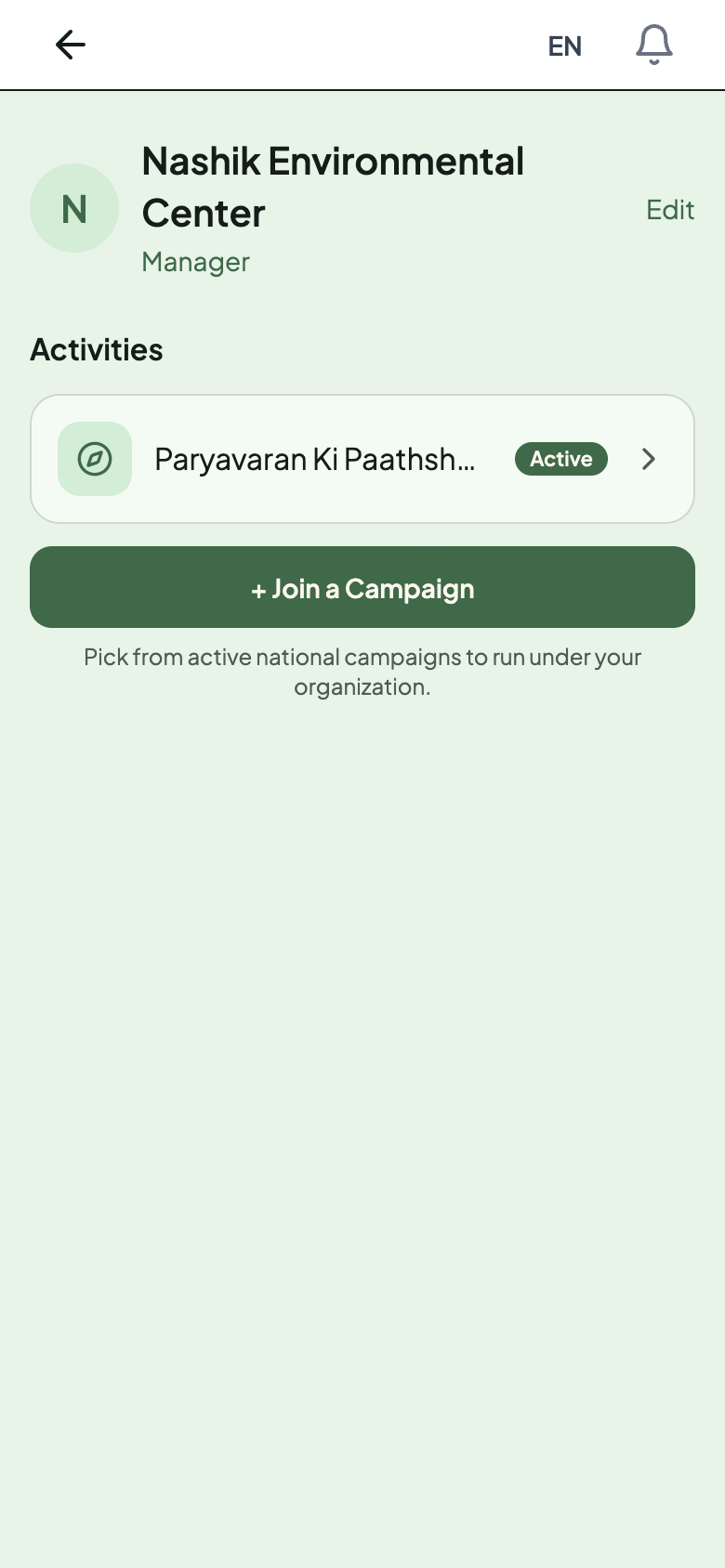
- Open your organisation’s page.
- In the Activities section, tap + Join a Campaign.
- Select NSPC 2026 from the list. It shows once it’s live or scheduled to open — an upcoming one is marked with an “Opens” date.
- Once you select it, NSPC 2026 appears as a row in your Activities list with an Active badge. Check the row reads NSPC 2026, then tap it — that’s where your Link and QR code live.
Registration window: 15 July – 15 September 2026. You can join as soon as NSPC is scheduled — join early so your QR code is ready before students start.
Step 3 — Get your QR code and share it
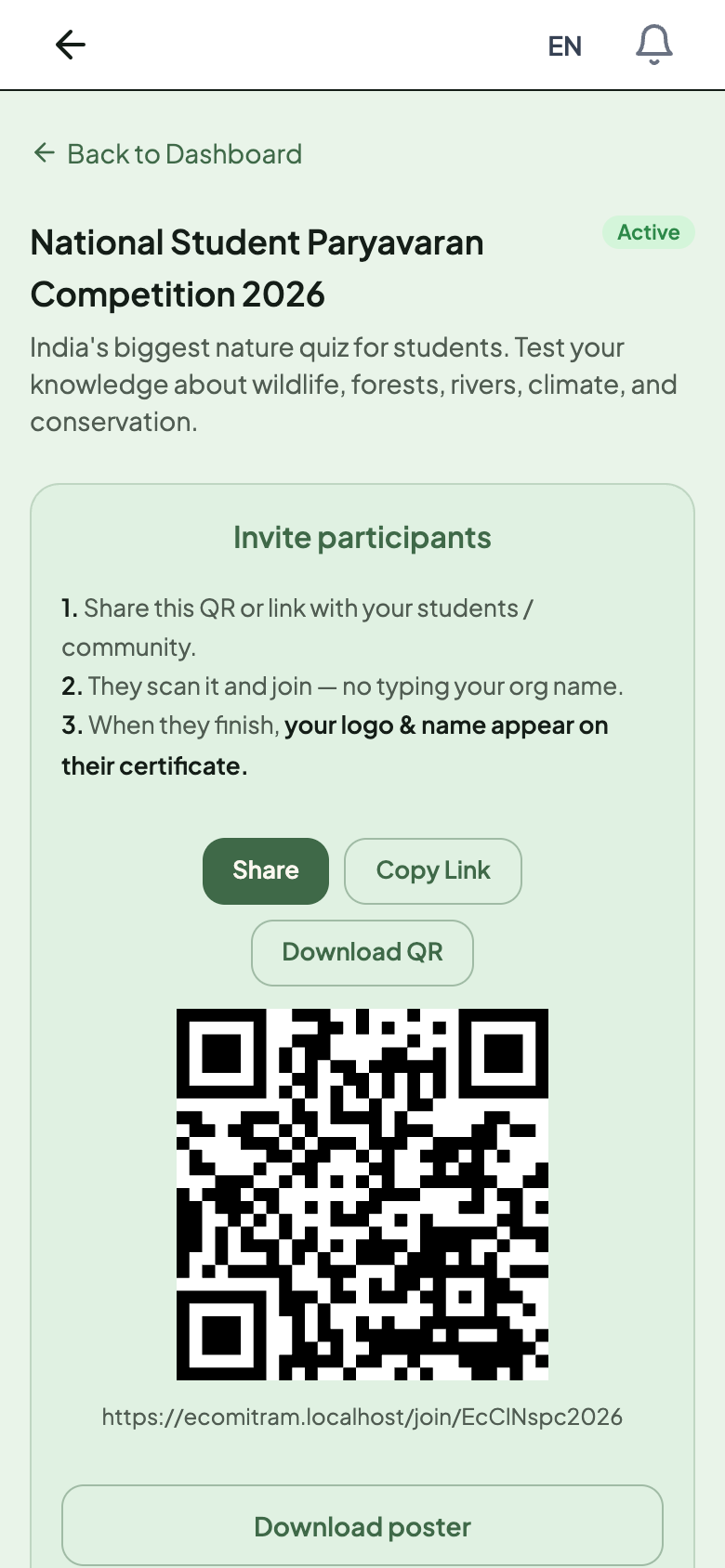
- Once you join, tap the NSPC row in your Activities list to open it. Your QR code is already there — no extra setup.
- Use Download QR to print a poster for the notice board, or Share / Copy Link to send it on WhatsApp or your class group.
- Display the QR where students can scan it.
- Every student uses the same QR / link — it already carries your institution’s name. Students pick their class when they register, so your participant list still breaks down class-wise.
Step 4 — Students register and take the quiz
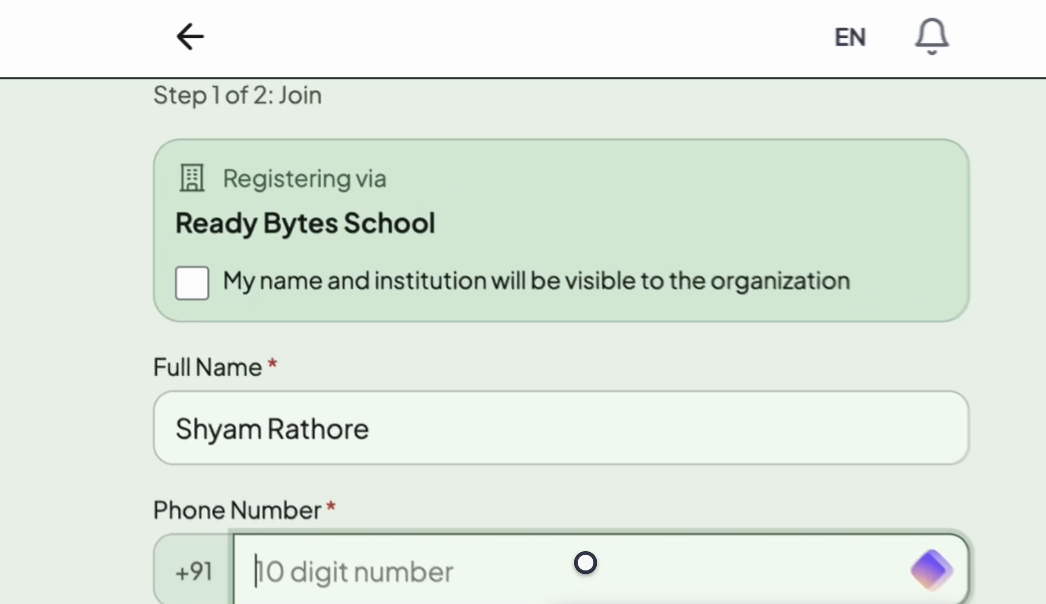
- A student scans the QR code — no app install is needed.
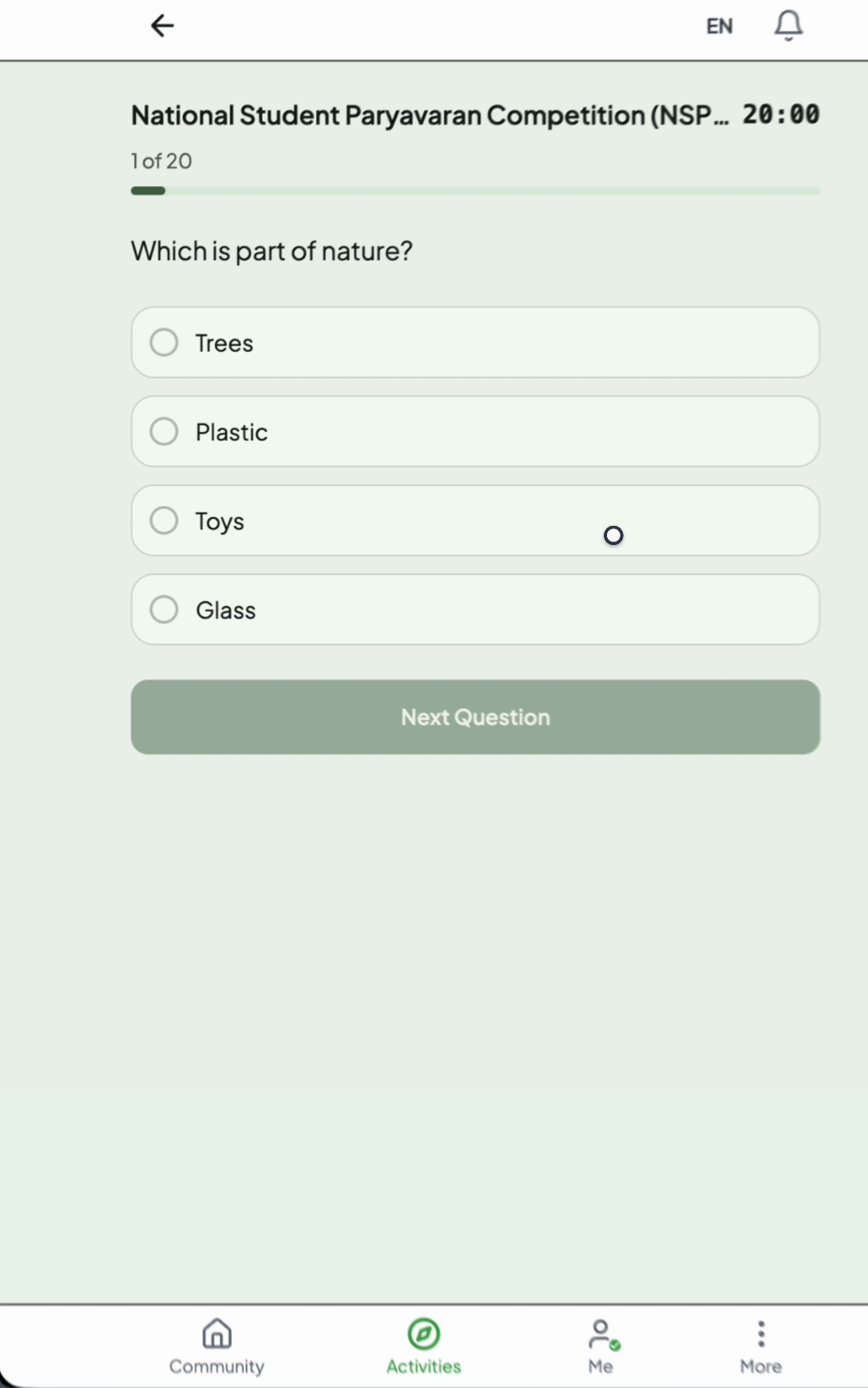
- Your institution details are already filled in and locked. The student adds their own details, takes the quiz, and completes the tree-planting task.
New here? Point students to the student registration guide.
Step 5 — Track students and certificates
- Your organisation page lists the activities you have joined. Open one to see its QR code and its participants.
- Open the NSPC row in your Activities list, then tap See all participants to see everyone who registered — name, phone, score and status. You can search the list by name.
- Want a CSV? On the activity page, tap + Add a labelled QR to make a QR for a class, section or venue. Each labelled QR gets its own participants page with a Download CSV button — handy for tracking classes separately.
- Every student who completes the quiz gets a certificate they can download and share.
Add co-teachers
The organisation owner can add up to 10 managers who also see the dashboard. Add them from Edit › Team & roles on your organisation page.
Troubleshooting
- I joined NSPC but I don’t see a QR. The QR lives on the activity page, not the organisation home — tap the NSPC row in your Activities list to open it.
- NSPC isn’t in the Join a Campaign list. It appears once it’s open or scheduled to open. If it’s missing, either your organisation has already joined it, or it hasn’t been published yet — check back closer to the registration window.
- I can’t see the participants list. Only the organisation owner or a manager can view participants and manage the campaign.
Still need help?
- NSPC registration & general queries: email [email protected].
- Technical problems with the website: email [email protected].